About Cloud Portal Office
Optimise your document processes and increase efficiency by up to 30%, with Cloud Portal Office. Cloud Portal Office is our award winning, cloud based document management and collaboration system that lets you capture,...
Optimise your document processes and increase efficiency by up to 30%, with Cloud Portal Office.
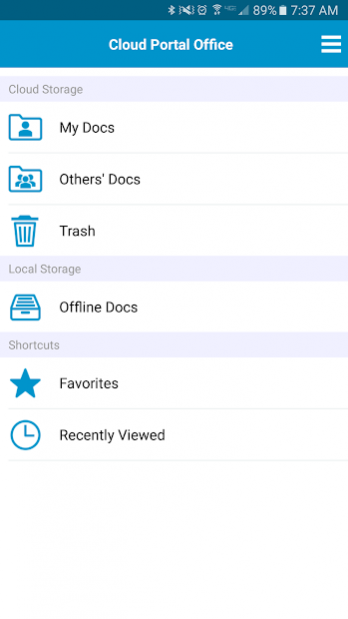
Cloud Portal Office is our award winning, cloud based document management and collaboration system that lets you capture, store, manage, share and retrieve all of your business documents safely and securely. And with its centralised data repository, you can be sure that you’re always working with the latest version of a document.
The enterprise class capabilities of Cloud Portal Office lets small to medium sized businesses optimise workflows to drive profitable growth, improve organisational efficiency and reduce operational costs.
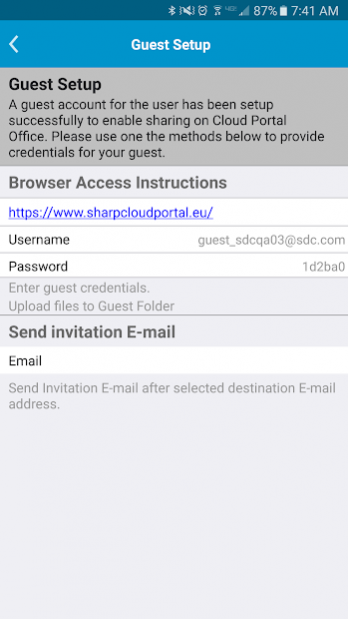
Everyone can access all of the information they need for quick and effective decision making straight from their smartphone or tablet – anytime/anywhere. You can even set up temporary guest accounts when you need to work more closely with non-subscribed users.
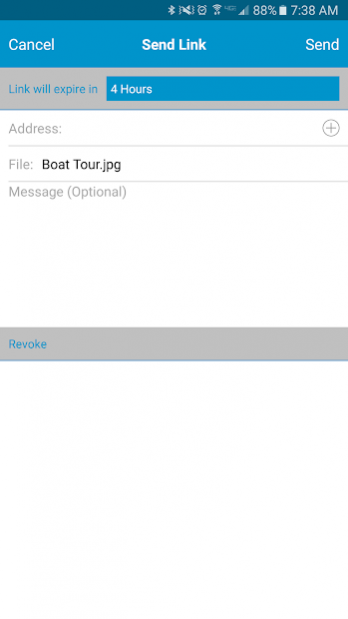
The collaboration and notification features of Cloud Portal Office help individual and groups communicate efficiently and effectively. If you sign up for file and folder notifications you’ll be informed when a new version of document is available or if any changes are made. And the ‘Send Link’ feature lets you share information with non-subscribed users via a link that can be set to expire after a specific time.
Cloud Portal Office enables the mobile workforce. Now you can stay in touch and contribute ideas from wherever you are.
Visit www.sharp.co.uk/cloud for more information.
Previous Versions
Here you can find the changelog of Cloud Portal Office since it was posted on our website on 2016-12-23 15:36:52.
The latest version is 2.5.2720 and it was updated on 2024-04-23 09:32:59. See below the changes in each version.
Cloud Portal Office version 2.5.2720
Updated At: 2018-12-26
Changes: Added support for Android 9.0
Cloud Portal Office version 2.3.2350
Updated At: 2017-12-07
Changes: Add "Never" to Send Link's validity period (PermanentLink)
Add a confirmation dialogue when revoking link
Add an error dialog when overwriting active retention file
Support preview of PDF document with password
Support preview of PDF document with handwritten memo
Bug fixes
Cloud Portal Office version 2.1.1860
Updated At: 2016-11-11
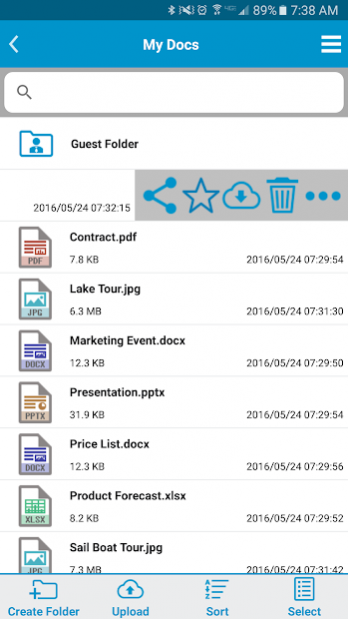
Changes: • New improved user interface,• Recently Viewed & Favourites Folders,• Left swipe gesture on files and folders for quick actions
Disclaimer
External Download
We do not host Cloud Portal Office on our servers. We did not scan it for viruses, adware, spyware or other type of malware. This app is hosted by Galad and passed their terms and conditions to be listed there. We recommend caution when installing it.
The APK Download link for Cloud Portal Office is provided to you by apps112.com without any warranties, representations or guarantees of any kind, so access it at your own risk.
If you have questions regarding this particular app contact the publisher directly. For questions about the functionalities of apps112.com contact us.